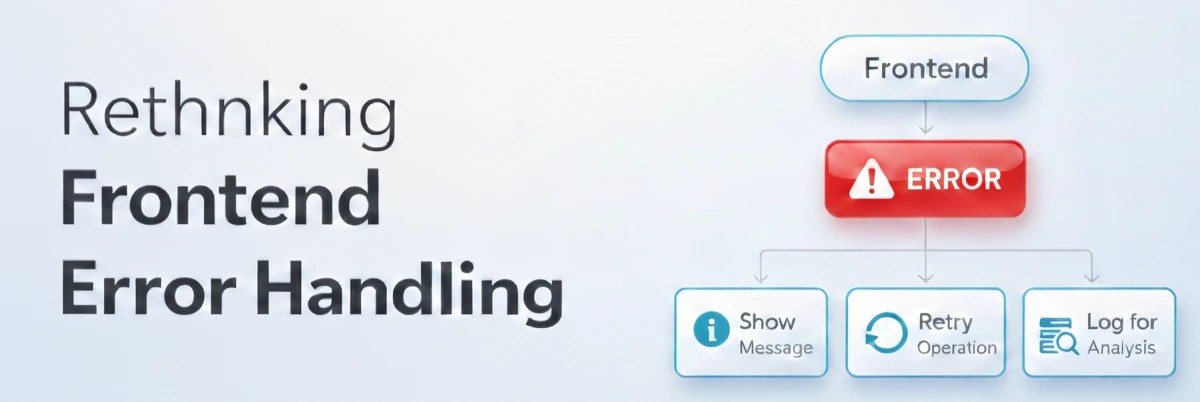
API error handling is often treated as try catch blocks scattered across components. That assumption is misleading. Error handling in modern frontend development is about user trust and recovery pathways, not just preventing crashes.Many developers adopt error handling thinking it will make their applications more robust. They expect fewer crashes, better debugging, and happier users. The reality is more nuanced. Error handling changes how failures surface, but it does not eliminate the complexity of building resilient systems.This guide explains what error handling actually does, what it cannot do, and how to use it effectively.
The Common Misconception About Error Handling
Many developers treat error handling as defensive programming that catches exceptions.This assumption sounds reasonable because try catch blocks prevent crashes. If errors are caught, applications stay running. Users see error messages instead of blank screens.But application resilience is not defined solely by catching exceptions.Error handling does not automatically improve user experience.It only changes how failures surface. The complexity does not disappear. It moves to a layer where users see messages but may not understand what went wrong, creating frustration that is harder to debug.
What Error Handling Actually Solves
Error handling excels at one specific thing which is user trust and recovery pathways.With proper error handling, users understand what went wrong. Recovery actions are clear. Failures do not feel like dead ends. Confidence in the application persists even during problems.This makes error handling a trust layer rather than a crash prevention tool.
Error Handling vs Silent Failures in Practice
Consider the difference in practice.Without proper error handling, users encounter silent failures or generic messages:
1// Bad: Generic error, no recovery path
2async function handleSubmit(data: LoginData) {
3  try {
4    const response = await fetch('/api/login', {
5      method: 'POST',
6      body: JSON.stringify(data)
7    })
8
9    if (!response.ok) {
10      setError('Login failed') // Unhelpful
11      return
12    }
13  } catch {
14    setError('Something went wrong') // Even worse
15  }
16}
The user knows something failed but has no idea why or what to do next.With proper error handling, failures become communication opportunities:
1// Bad: Generic error, no recovery path
2async function handleSubmit(data: LoginData) {
3  try {
4    const response = await fetch('/api/login', {
5      method: 'POST',
6      body: JSON.stringify(data)
7    })
8
9    if (!response.ok) {
10      setError('Login failed') // Unhelpful
11      return
12    }
13  } catch {
14    setError('Something went wrong') // Even worse
15  }
16}
The user knows exactly what went wrong and what they can do about it.That is the essence of error handling.
Why Error Handling Often Feels Disappointing
Many teams adopt error handling expecting simpler debugging and happier users.In practice, error handling introduces its own complexity. Generic messages do not help users. Error boundaries catch everything and make debugging harder. Error tracking tools flood teams with noise.The disappointment comes from a mismatch between expectation and reality. Teams expect error handling to remove complexity. It actually moves complexity to a layer where user psychology and communication design intersect.
Error Handling as an Architectural Decision
Using comprehensive error handling means your components now have multiple failure states to manage. Testing strategies must account for error scenarios.Error handling is not a small technical tweak. It is an architectural commitment that affects how users perceive reliability and how systems recover from failure.Without discipline, error handling creates more problems than it solves.
When Error Handling Is the Wrong Tool
Error handling becomes a liability when teams use it for problems better solved elsewhere.Input validation errors: Form validation should happen before submission. Client side validation provides immediate feedback without network overhead.Business logic failures: If the API returns 200 with an error in the body, the problem is API design, not error handling. Fix the contract, not the client.Expected edge cases: Users without permissions or empty search results are valid states that deserve proper UI, not error messages.In these situations, better validation or improved API contracts provide simpler solutions.
Practical Patterns
When used within its boundaries, error handling enables clean architectural patterns.
Pattern 1: Error Boundary with Fallback UI
Isolate component failures and show meaningful fallback:
1// components/ErrorBoundary.tsx
2'use client'
3
4import { Component, ErrorInfo, ReactNode } from 'react'
5
6interface Props { children: ReactNode }
7interface State { hasError: boolean; error?: Error }
8
9export class ErrorBoundary extends Component<Props, State> {
10  static getDerivedStateFromError(error: Error): State {
11    return { hasError: true, error }
12  }
13
14  componentDidCatch(error: Error, info: ErrorInfo) {
15    console.error('Error:', error, info)
16  }
17
18  render() {
19    if (this.state.hasError) {
20      return (
21        <div className="error-fallback">
22          <h2>Something went wrong</h2>
23          <button onClick={() => this.setState({ hasError: false })}>
24            Try again
25          </button>
26        </div>
27      )
28    }
29    return this.props.children
30  }
31}
Pattern 2: API Error Classification
Categorize errors for appropriate handling:
1// lib/errors.ts
2export enum ErrorCategory {
3  NETWORK = 'network',
4  CLIENT = 'client',
5  SERVER = 'server',
6  TIMEOUT = 'timeout'
7}
8
9export interface ClassifiedError {
10  category: ErrorCategory
11  message: string
12  retryable: boolean
13}
14
15export function classifyError(status: number): ClassifiedError {
16  if (status >= 500) {
17    return {
18      category: ErrorCategory.SERVER,
19      message: 'Server error. Please try again later.',
20      retryable: true
21    }
22  }
23  if (status === 408 || status === 429) {
24    return {
25      category: ErrorCategory.TIMEOUT,
26      message: 'Request timed out. Please retry.',
27      retryable: true
28    }
29  }
30  return {
31    category: ErrorCategory.CLIENT,
32    message: 'Invalid request. Please check your input.',
33    retryable: false
34  }
35}
Pattern 3: Retry Logic with Exponential Backoff
Automatically retry transient failures:
1// lib/retry.ts
2interface RetryConfig {
3  maxAttempts: number
4  baseDelay: number
5}
6
7export async function fetchWithRetry(
8  url: string,
9  options: RequestInit = {},
10  config: RetryConfig = { maxAttempts: 3, baseDelay: 1000 }
11): Promise<Response> {
12  for (let attempt = 1; attempt <= config.maxAttempts; attempt++) {
13    try {
14      const response = await fetch(url, options)
15      if (response.ok) return response
16
17      // Retryable error, wait and retry
18      if (attempt < config.maxAttempts) {
19        const delay = config.baseDelay * Math.pow(2, attempt - 1)
20        await new Promise(resolve => setTimeout(resolve, delay))
21      }
22    } catch {
23      if (attempt === config.maxAttempts) throw new Error('Request failed')
24    }
25  }
26  throw new Error('Request failed after retries')
27}
Testing & Debugging
Error handling requires intentional testing strategies.Test error scenarios explicitly. Mock failed responses and verify error handling works. Use browser DevTools Network tab to simulate failures. Common issues: swallowing errors silently, generic messages, no retry mechanism.
Best Practices
Keep error messages actionable. Tell users what went wrong and what they can do.
1// ❌ Bad
2setError('Error occurred')
3
4// ✅ Good
5setError({
6  message: 'Unable to save changes.',
7  action: 'Please check your connection and try again.'
8})
Classify errors by user impact. Network errors need retry buttons. Client errors need validation feedback.Track errors without disrupting UX. Log to Sentry for debugging, but always handle for users.
The Real Value of Error Handling
The true value of error handling is not crash prevention but user confidence.Users who understand what went wrong and how to recover trust the application more. Failures that feel manageable do not drive users away. Systems that degrade gracefully maintain user relationships even during problems.This is an architectural quality rather than a performance metric. It is about how failures communicate and how systems recover.Error handling makes the most sense for network operations, user actions with side effects, and critical user flows where failure needs graceful degradation.
Final Thoughts
Error handling is not difficult but it is precise.
Understanding what error handling actually does, and what it does not do, prevents unnecessary complexity and false expectations. It does not magically make applications bulletproof. Rather, it changes how failures communicate with users and how systems recover from problems.
Mastering frontend fundamentals means knowing when to introduce error handling patterns and when simpler approaches suffice. Modern frameworks make error boundaries accessible, yet understanding makes recovery strategies effective.
Building production ready applications goes beyond catching exceptions. It requires user experience design, system resilience, and communication clarity.
At Engworks, we build secure web and mobile applications from the ground up. From error handling architectures to user feedback systems and monitoring strategies we cover the entire stack.
This analysis references the React Error Boundaries documentation for implementation details, MDN Fetch API documentation for network patterns, and Sentry's error tracking guide for production monitoring.
Need a partner who understands both frontend architecture and user experience under failure? We are ready to help.
